

Continuous Patient Monitoring
Analyzes new vital signs, labs, nurse observations, and trends to detect early patient deterioration.

Introducing
Foresia assists bedside nurses to detect patient deterioration earlier and trigger rapid response pathway needed.
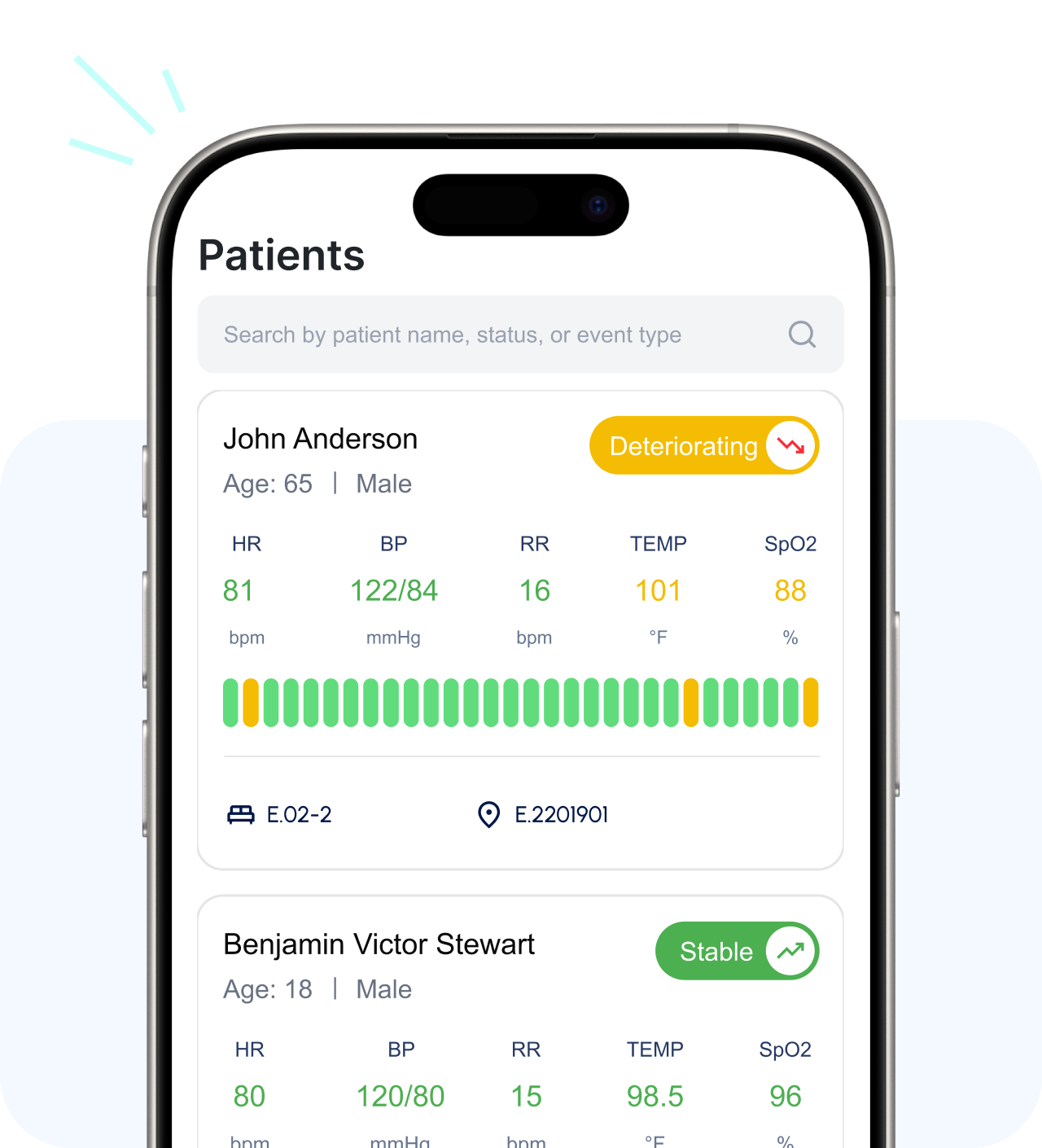
Analyzes new vital signs, labs, nurse observations, and trends to detect early patient deterioration.
As soon as early patient deterioration is detected, Foresia instantly alerts the bedside nurse with insights to review and initiate the appropriate rapid response.
Guides responding care team members through a structured SBARI workflow for consistent, accurate, and timely responses.
Automatically documents the rapid response as it unfolds, creating a detailed EHR event record.
Enables clinicians to ask patient-specific questions from the AI agent and receive answers instantly.
Generates concise patient handoff summaries from clinical history and recent shift events, supporting efficient and informed care team handoffs.
Everything clinicians need to identify deterioration, escalate patient care, and document the response in a connected workflow.
View assigned patients with their latest vitals, condition details, and status—Stable, Deteriorating, or Critical.
See the risk factors and vital sign trends behind every AI-assisted condition assessment.
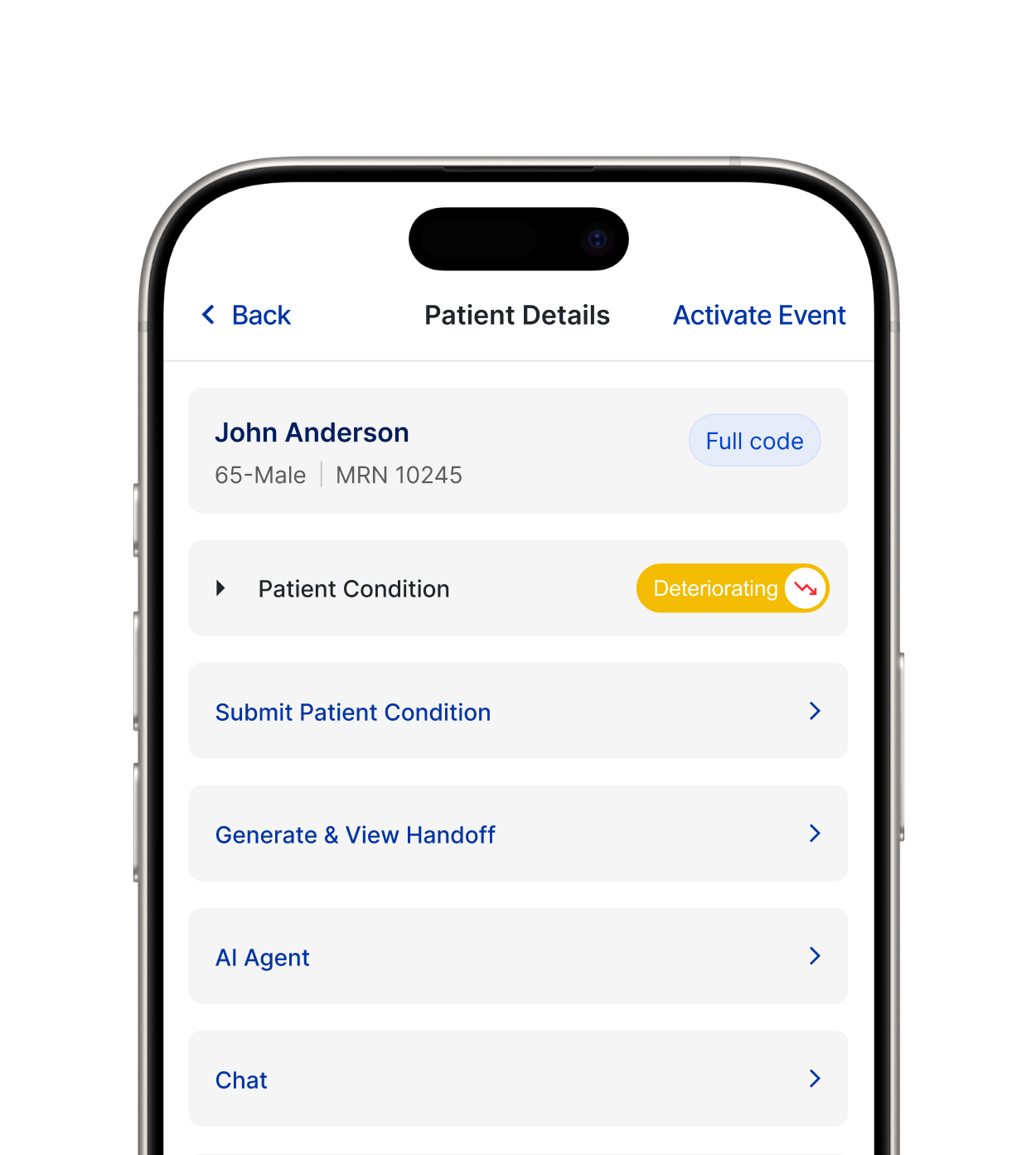
Activate the appropriate response pathway (PRRES or RRT) based on severity and workflow guidance, while keeping the final decision in the physician's hands.
Complete the Situation, Background, Assessment, Recommendation, and Intervention directly within the event workflow.
It does not retire pagers, phones, or backup channels. Existing communication paths stay in place during downtime.
It does not chart on a clinician’s behalf. Every entry reaching the EHR is reviewed, edited, and signed by the clinician of record.
It does not make clinical determinations. The system surfaces Alerts and lists possible causes; the clinician assesses, escalates, and decides.
It does not transmit PHI to third-party services outside an executed Business Associate Agreement.
Foresia adheres to strict enterprise security standards, end-to-end encryption, and regional data residency rules to protect patient health information.
Current patient data pulled directly from the EHR, no manual entry, no duplicate records.
Standardized LOINC codes interpret vitals and labs consistently across systems.
Latest vitals and condition data appear when an event opens, with no manual refresh.
Built for FHIR-based integration with Epic, Cerner, MEDITECH, and other FHIR-compliant EHRs. Live integrations available; specific deployments configurable per hospital.



A phased rollout designed to minimize operational disruption and establish the foundation for measurable outcomes.
Define teams. Begin EHR integration planning (FHIR R4 / HL7). Initiate LOINC configuration and alert sensitivity settings.
Customize SBARI workflows. Train staff. Activate sandbox for testing and governance review.
Real-time logging and governance dashboard activated.
Review clinical KPIs including event counts, ICU transfer rates, and response times. Use dashboard analytics to support leadership reporting.
Note: Timeline is indicative and will vary based on hospital size, EHR complexity, and institutional readiness.


